● Cloud Production Control for the SiloCloud ecosystem

Run your studio from a browser-based command deck.

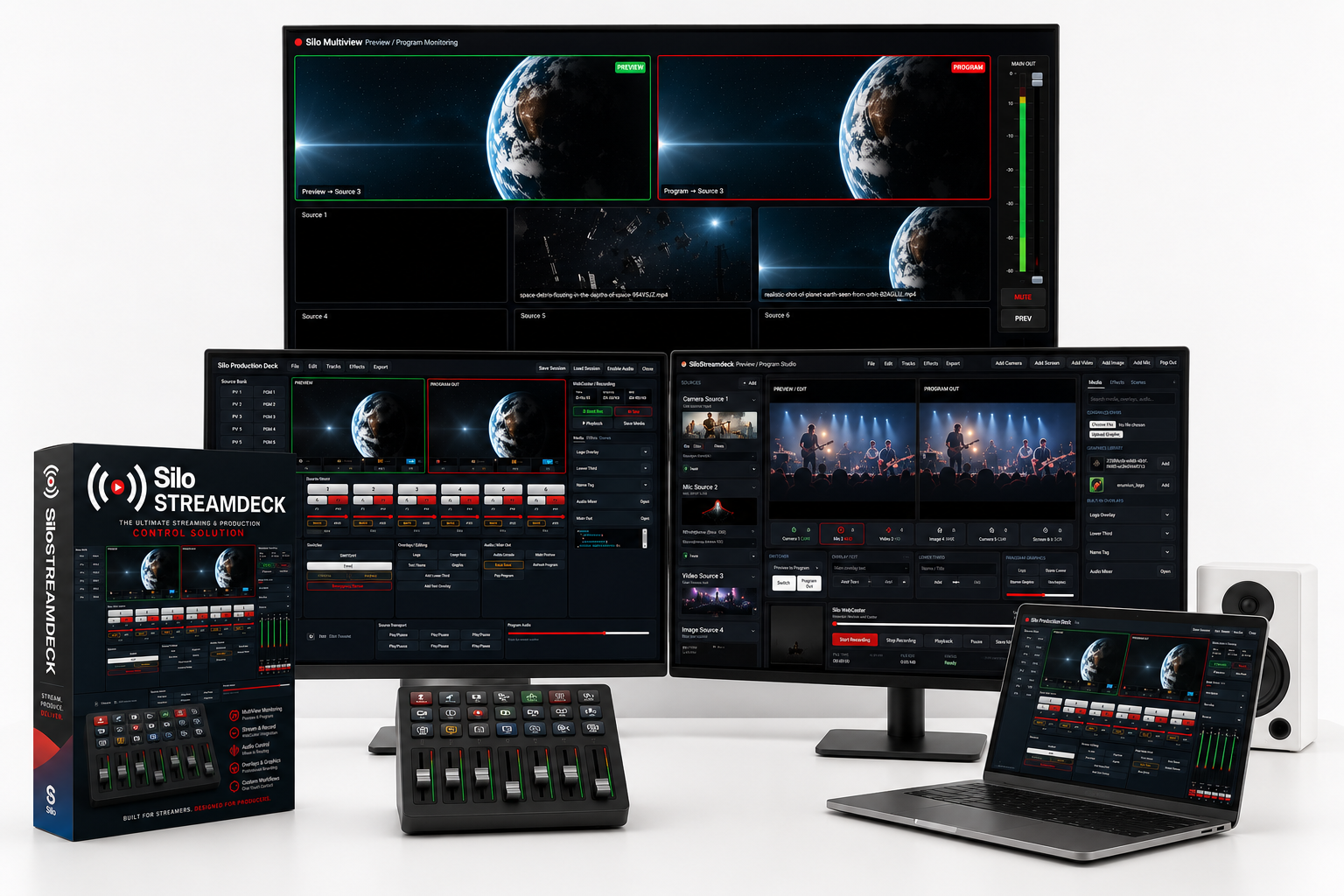
SiloStreamDeck gives creators, studios, churches, schools, podcasters, live event teams, and production operators a cloud-controlled StreamDeck experience for switching scenes, triggering media, managing production sessions, and connecting live workflows into SiloCloud.

SESSION: STUDIO-001 · LIVE
PREVIEW 1Camera A
PREVIEW 2Camera B
PROGRAMMain Out
TAKESwitch
AUDIOBus Control
MUTEMain Out
MEDIAPlay/Pause
STREAMRTMP Ready
SCENE 01Intro
SCENE 02Interview
SCENE 03Overlay
BLACKFade Out
Cloud

Browser-based control surface

Live

Built for real production sessions

SaaS

Customer instances and access bins

Silo

Integrated with SiloCloud services

One control layer for modern media teams.

SiloStreamDeck is designed as the front-end command surface for live production, cloud storage, session control, audio tools, media decks, multiview screens, and future RTMP/HLS delivery.

Production Control

Trigger preview, program, take, fade, mute, audio bus, media playback, overlays, and live session commands from a clean web interface.

Customer Instances

Each customer can receive a dedicated environment, storage bin, session folder, and production workspace connected to SiloCloud.

Cloud Storage Ready

Connect production assets, thumbnails, video files, show packages, graphics, intros, outros, and customer media libraries.

Studio Modules

Built to work with Silo Multiview, Silo Audio Engine, Silo Media Deck, and SiloStudio production tools.

Remote Operation

Control a production workflow from the browser, future desktop shell, tablet controller, or mobile companion experience.

SaaS Administration

Prepare onboarding, plans, subscriptions, access control, customer status, usage, and deployment management from one admin layer.

How the platform works.

The SaaS model separates the public product website, the customer dashboard, and the actual production control engine.

1

Enroll

Customer selects a plan, submits studio profile, and requests access to a SiloStreamDeck instance.

2

Provision

SiloCloud creates customer folders, session space, access credentials, and application routing.

3

Control

The operator uses the deck to manage scenes, sources, audio, media, production state, and streaming actions.

4

Scale

Teams add operators, storage, production rooms, stream destinations, templates, and advanced automation.

Launch plans.

Initial pricing can be adjusted after testing. These tiers give the SaaS structure a clean starting point.

Creator

$29/mo
  • 1 production workspace
  • Basic StreamDeck control
  • Cloud media bin
  • Starter templates

Enterprise

Custom
  • Dedicated deployment
  • Private storage and routing
  • Custom integrations
  • White-label options

Request early access.

SiloStreamDeck is entering SaaS packaging. Early customers can be onboarded into managed testing environments.

For Creators

Build your personal control desk for podcasts, livestreams, webinars, and content production.

For Studios

Manage production sessions, show packages, operators, stream layouts, and media workflows.

For Organizations

Deploy cloud-controlled production for schools, churches, cities, campuses, and events.


Email Access Request

Interactive Demo Customer Journey

This testing flow demonstrates the future SaaS onboarding lifecycle for SiloStreamDeck customers. You can click through the entire activation process from enrollment to workspace launch.

1. Landing Page

Public SaaS presentation introducing the SiloStreamDeck cloud production platform.

Open Landing
URL:
https://silostreamdeck.com

2. Enrollment

Submit a SaaS enrollment request and create a customer onboarding record.

Open Enrollment
URL:
https://silostreamdeck.com/enroll.php

3. Admin Approval

Review customer applications, approve workspaces, and provision customer instances.

Open Admin
Password:
SiloAdmin2026!

4. Workspace Launch

Launch the active production workspace for an approved SaaS customer.

Launch Workspace
Demo UID:
SSD-DEMO2026